
How to Improve Smartphone Battery Life: 15 Proven Tips
Smartphones have become an essential part of our daily lives. From making calls and sending messages to streaming videos, attending online meetings, navigating with GPS, and managing banking apps, we rely on our phones for almost everything. However, one common problem almost every smartphone user faces is poor battery life. It can be frustrating when your phone runs out of battery in the middle of an important task or while traveling.
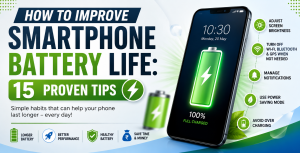
The good news is that improving your smartphone’s battery life doesn’t always require buying a new phone or replacing the battery. By making a few smart changes to your settings and daily habits, you can significantly increase how long your battery lasts. In this guide, we’ll share 15 proven tips that will help you maximize battery performance and keep your smartphone running efficiently throughout the day.
1. Optimize Display Settings
Your phone’s display is one of the biggest consumers of battery power. Optimizing display settings is one of the easiest and most effective ways to extend battery life.
Reduce Screen Brightness
Keeping your screen at maximum brightness all the time drains the battery quickly. Lower the brightness manually or enable Adaptive Brightness, which automatically adjusts the screen based on your surroundings.
Use Dark Mode
If your smartphone has an OLED or AMOLED display, enabling Dark Mode can reduce power consumption because black pixels require less energy. Besides saving battery, dark mode is also easier on your eyes, especially at night.
Reduce Screen Timeout
Many users leave their screen on for several minutes even when they aren’t using it. Setting the screen timeout to 30 seconds or one minute can save a noticeable amount of battery throughout the day.
Lower Refresh Rate
Modern smartphones often offer refresh rates of 90Hz or 120Hz for smoother scrolling. While these higher refresh rates improve the user experience, they also consume more power. If battery life is your priority, switching to a standard 60Hz refresh rate can make a difference.
2. Manage Background Apps
Many apps continue running even after you’ve closed them. These background activities consume battery by syncing data, tracking location, and checking for updates.
Close Unnecessary Background Apps
You don’t need to force close every app constantly, but apps that continuously use GPS, camera, or internet should be monitored and closed when not required.
Restrict Background Activity
Both Android and iPhone allow you to restrict background activity for selected apps. Social media apps, shopping apps, and games often refresh data unnecessarily, leading to faster battery drain.
Review App Permissions
Some apps request permissions that they don’t actually need. For example, a flashlight app doesn’t require access to your location. Review permissions regularly and disable unnecessary access.
Remove Unused Apps
Unused applications can still consume storage, perform background updates, and send notifications. Uninstall apps that you no longer use to improve overall phone performance and battery efficiency.
3. Use Battery Saver Features Effectively
Almost every modern smartphone includes built-in battery optimization tools that help reduce unnecessary power consumption.
Enable Battery Saver Mode
Battery Saver or Low Power Mode reduces background processes, limits animations, lowers brightness, and minimizes app activity. This feature is especially useful when your battery is running low.
Use Adaptive Battery
Many Android devices include Adaptive Battery, which learns your usage patterns and limits power for apps you rarely use. This intelligent feature helps improve battery life without affecting your daily experience.
Enable Optimized Charging
Some smartphones offer Optimized Charging, which slows down charging overnight and finishes charging just before you usually wake up. This helps reduce battery wear over time and extends battery lifespan.
Monitor Battery Usage
Most smartphones provide a detailed battery usage report showing which apps consume the most power. Reviewing this information regularly can help you identify apps that need optimization or replacement.
4. Avoid Common Charging Mistakes
Battery health depends not only on how you use your phone but also on how you charge it.
Avoid Overheating
Heat is one of the biggest enemies of lithium-ion batteries. Avoid leaving your phone in direct sunlight or using heavy applications while charging, as excessive heat reduces long-term battery capacity.
Use Original or Certified Chargers
Always use the charger provided by the manufacturer or a certified replacement. Cheap, low-quality chargers may damage your battery and even create safety risks.
Don’t Let Battery Drain to 0% Frequently
Although modern batteries are smarter than older ones, regularly allowing your battery to reach 0% before charging can reduce its lifespan. It’s generally better to recharge when the battery reaches around 20–30%.
Avoid Keeping Your Phone Plugged In Constantly
Leaving your phone plugged in for extended periods isn’t always necessary. While modern phones automatically stop charging at 100%, consistently keeping the device connected to power may generate unnecessary heat.
5. Disable Features You Don’t Need
Many smartphone features consume battery even when you’re not actively using them. Turning them off when unnecessary can significantly extend battery life.
Turn Off GPS When Not Required
Location services constantly communicate with satellites and mobile networks. If you’re not using navigation or location-based apps, disable GPS to conserve power.
Disable Bluetooth and NFC
Bluetooth and NFC consume a small amount of battery while searching for nearby devices. Switch them off when they aren’t being used.
Turn Off Mobile Hotspot
Running a hotspot requires your phone to maintain multiple wireless connections simultaneously, which drains the battery rapidly. Disable it immediately after use.
Limit 5G Usage
If your area has weak 5G coverage, your phone may continuously switch between networks, increasing battery consumption. Using LTE or 4G in such situations often provides better battery performance.
Reduce Unnecessary Notifications
Every notification wakes up your screen and activates background processes. Disable notifications from apps that aren’t important to reduce both distractions and battery usage.
Conclusion
Improving your smartphone’s battery life doesn’t require expensive accessories or technical knowledge. Small adjustments like lowering screen brightness, limiting background activity, using Battery Saver mode, following healthy charging habits, and disabling unnecessary features can make a noticeable difference in daily battery performance.
Remember that battery health naturally declines over time, but adopting these simple habits can slow that process and help your phone stay reliable for years. By following these 15 proven tips consistently, you’ll enjoy longer battery life, better device performance, and fewer interruptions throughout your day.