
20 Hidden Smartphone Features That Most People Don’t Know
Smartphones have become an essential part of our daily lives. Whether you’re using your phone for work, entertainment, online shopping, photography, or staying connected with friends and family, there’s no denying how much we rely on these devices. However, most people only use a small percentage of the features their smartphones offer. Both Android and iPhone devices come with powerful tools that can improve productivity, enhance security, and make everyday tasks much easier.
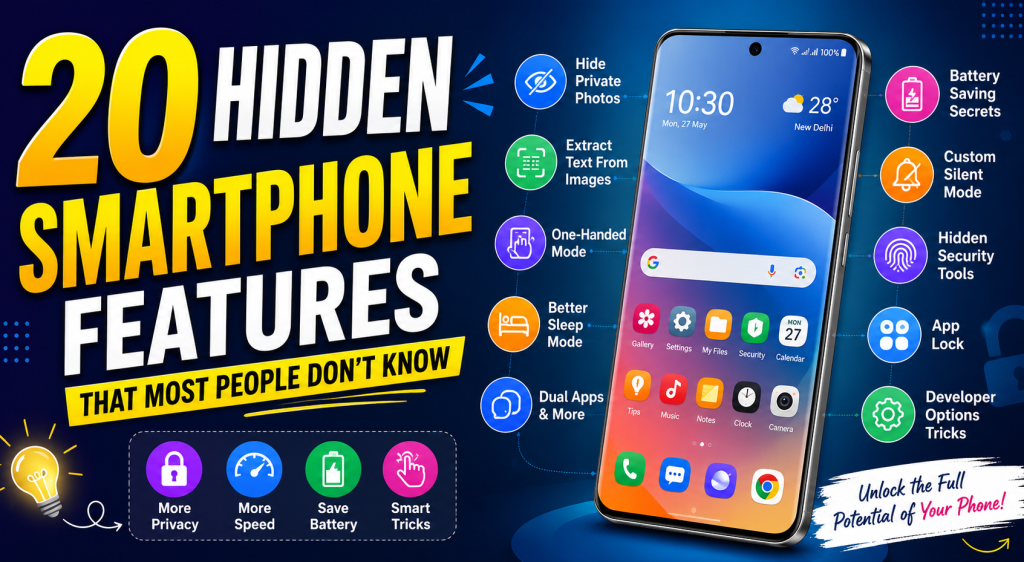
If you’ve only been using your smartphone for calling, texting, browsing social media, and taking photos, you’re missing out on several useful features. In this article, we’ll explore 20 hidden smartphone features that many users don’t know about but can significantly improve their mobile experience.
1. Productivity Features That Save Time
Modern smartphones include several built-in productivity tools that help you complete tasks faster without installing additional apps.
One of the most useful features is Split Screen Mode. This allows you to use two applications at the same time. For example, you can watch a YouTube tutorial while taking notes or compare products while shopping online. Android users can access this feature from the Recent Apps menu, while iPhone users can achieve similar functionality on supported iPads using Split View.
Another helpful feature is Voice Typing. Instead of typing long messages or emails, simply tap the microphone icon on your keyboard and speak naturally. Modern voice recognition systems are highly accurate and can save a significant amount of time.
Many smartphones also include Clipboard History, allowing you to access recently copied text instead of copying the same information repeatedly. This is especially useful for people who frequently send addresses, email IDs, or business information.
Don’t forget Quick Settings Shortcuts. You can customize your notification panel to instantly access Wi-Fi, Bluetooth, flashlight, screen recording, hotspot, QR scanner, and other frequently used tools without opening the Settings app.
Finally, many Android devices support Automation Features such as routines that automatically turn on Wi-Fi when you reach home, enable silent mode during meetings, or activate battery saver when your battery drops below a certain percentage.
2. Camera Tricks You Should Start Using
Most smartphone users only press the shutter button, but today’s cameras offer many advanced features that can dramatically improve your photos.
One hidden feature is Pro Mode, available on many Android smartphones. It allows you to manually adjust ISO, shutter speed, white balance, and focus. Learning these settings can help you capture professional-looking photos in challenging lighting conditions.
Another underrated feature is the Built-in Document Scanner. Instead of downloading third-party apps, many phones let you scan documents directly through the camera or notes application. The scanned document is automatically cropped and converted into a PDF.
Google Lens is another powerful tool available on Android and iPhone. Simply point your camera at an object, text, plant, product, or landmark to instantly identify it. It can also translate foreign languages, copy text from printed documents, and solve basic mathematical problems.
Many premium smartphones also support RAW Photography, which stores more image data than standard JPEG files. This gives photographers much greater flexibility when editing photos later.
Don’t overlook features like Night Mode, Portrait Mode, Motion Photos, and AI Scene Detection. These options automatically optimize camera settings to produce better images with minimal effort.
3. Privacy and Security Features
Smartphones store personal photos, banking information, passwords, emails, and confidential documents. Fortunately, they include several security features that many users never activate.
One of the most important features is the Privacy Dashboard. Available on newer Android versions, it shows which apps recently accessed your camera, microphone, or location. If an app is using these permissions unnecessarily, you can revoke access immediately.
Most smartphones also support App Permissions Management. Instead of giving permanent access to your location or contacts, you can allow permission only while using the app or deny it completely.
Another useful feature is Hidden Folders or Secure Folder. Sensitive photos, videos, documents, and applications can be protected with a password, fingerprint, or Face ID so that only you can access them.
Many smartphones also include an Emergency SOS feature. By pressing the power button multiple times, your phone can automatically contact emergency services, notify family members, and share your live location during emergencies.
Don’t ignore Find My Device (Android) or Find My iPhone (Apple). If your phone is lost or stolen, these services allow you to locate, lock, or erase your device remotely to protect your personal information.
4. Accessibility Features Everyone Can Benefit From
Accessibility features were originally designed to help users with disabilities, but today they provide convenience for everyone.
One useful feature is Live Captions. Your smartphone can automatically generate captions for videos, podcasts, voice messages, and even phone calls in supported languages. This is especially helpful when watching videos in noisy environments.
Another practical feature is One-Handed Mode. As smartphones become larger, reaching the top of the screen with one hand becomes difficult. One-handed mode temporarily shrinks the display, making it easier to operate your phone comfortably.
Magnification Tools allow users to zoom into small text, labels, restaurant menus, or medicine instructions without taking a photo first. This can be extremely useful in daily life.
Many phones also include Reading Mode, which reduces visual distractions and improves readability by adjusting colors, brightness, and contrast. This feature makes reading articles or ebooks more comfortable for long periods.
Voice Control is another hidden gem. Instead of touching your phone, you can navigate menus, open apps, send messages, and perform various actions using voice commands. This can be useful while driving or when your hands are occupied.
5. Smart Features Powered by AI
Artificial Intelligence has transformed modern smartphones by making everyday tasks faster and smarter.
One impressive feature is AI Photo Editing. Many phones can automatically remove unwanted objects, enhance image quality, adjust lighting, and improve portraits with just a few taps.
Another useful capability is Live Translation. Whether you’re traveling abroad or communicating with someone who speaks another language, your smartphone can translate conversations, text, and signs in real time.
Many newer smartphones also include Call Screening. AI can identify spam callers, answer unknown numbers automatically, and provide a transcript before you decide whether to answer the call.
Smart Reply is another time-saving feature. Your phone suggests quick responses to emails and messages based on the conversation, allowing you to reply instantly without typing full sentences.
Finally, modern voice assistants such as Google Assistant, Siri, and Gemini can perform complex tasks like setting reminders, creating calendar events, controlling smart home devices, searching the web, sending messages, and answering questions—all through simple voice commands.
Conclusion
Today’s smartphones are much more powerful than most people realize. Beyond calls, messaging, and social media, they offer advanced productivity tools, professional camera features, strong privacy controls, accessibility options, and intelligent AI capabilities that can simplify everyday life. Exploring your phone’s settings and learning about these hidden features can help you work more efficiently, improve security, capture better photos, and get more value from your device. Whether you use an Android phone or an iPhone, taking a few minutes to discover these built-in tools can completely change the way you use your smartphone.